How to Charge SKE 600 Pro (Time, Indicators and Battery Guide)


The SKE 600 Pro is one of the most straightforward prefilled pod kits available in the UK, but like any rechargeable device, knowing how to charge it correctly and understanding what the LED indicator is telling you makes a real difference to how reliably it performs day to day. This guide covers how to charge the device, how long it takes, what the indicator light means, and how to get the most from the 400mAh battery.
- What Battery Does the SKE 600 Pro Have?
- How to Charge the SKE 600 Pro
- How Long Does the SKE 600 Pro Take to Charge?
- How to Know When the SKE 600 Pro Is Fully Charged
- How Long Does the Battery Last Between Charges?
- What About the New Vape Tax?
- Shop SKE 600 Pro at Vaping 101
- Quick Comparison
- Frequently Asked Questions

What Battery Does the SKE 600 Pro Have?
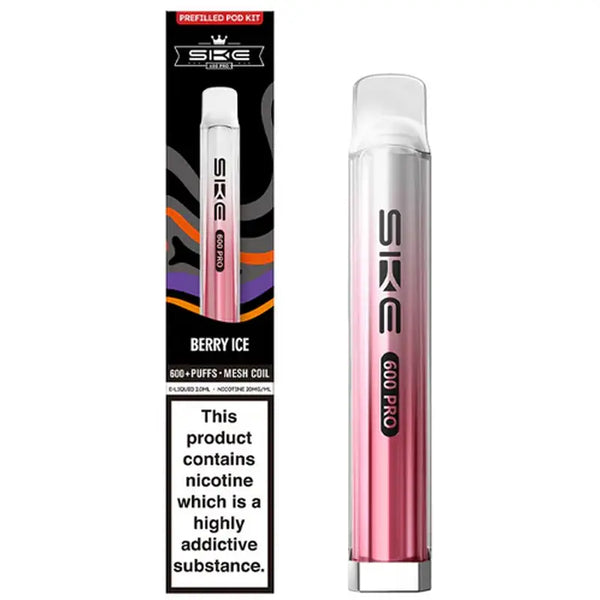
The SKE 600 Pro is built around a 400mAh built-in battery, which is compact and well-suited to the device's single-pod, 600-puff-per-pod format. It charges via USB-C, which is the current standard across most rechargeable pod kits and means you can use the same cable you would use for most modern phones and laptops. One thing worth noting: the SKE 600 Pro does not include a charging cable in the box, so you will need to have a USB-C cable to hand before you need to charge.
How to Charge the SKE 600 Pro
Charging guideCharging the SKE 600 Pro is straightforward:
Locate the USB-C port at the base of the device.
Connect a USB-C cable to the port and plug the other end into a mains adapter, laptop, or power bank. A standard 5V adapter is sufficient. Avoid using high-wattage fast chargers designed for smartphones, as these can push more power than a small 400mAh battery is designed to handle.
Watch the LED indicator at the front of the device, which will confirm charging is in progress.
Leave until fully charged. The LED indicator will change to confirm when the battery is full.
Unplug once charged. Do not leave the device plugged in overnight or for extended periods after the battery is full.
How Long Does the SKE 600 Pro Take to Charge?
Given the 400mAh battery capacity, the SKE 600 Pro charges quickly. From a completely flat battery, most users find the device reaches a full charge in around 30 to 45 minutes. The exact time will vary slightly depending on the power output of the adapter you are using, but with a standard 5V USB adapter the charge time is reliably short. This is one of the practical advantages of the smaller battery format: even if you forget to charge it until you need it, you will not be waiting long.
Avoid charging from a very low-output power source such as an older laptop USB port, as this can extend the charge time noticeably and put unnecessary strain on the battery over repeated cycles.

How to Know When the SKE 600 Pro Is Fully Charged
The LED indicator on the SKE 600 Pro gives you real-time battery status both during charging and during use. Here is how to read it:
- While charging: the LED will illuminate to show the device is receiving power. On most SKE 600 Pro units, the indicator light will change colour or switch off entirely once the battery reaches full charge, depending on the firmware version.
- During use: the LED flashes or changes colour to indicate battery level. A white or green indicator typically signals a healthy charge, while a red flash or rapid blinking usually means the battery is low and the device needs charging before the next session.
- Low battery warning: if the device produces noticeably weaker draws or the LED blinks rapidly when you inhale, that is a reliable sign the battery needs attention. The SKE 600 Pro will not fire consistently on a critically low battery even if there is still e-liquid in the pod.
If you are not sure what your specific indicator behaviour means, a quick charge followed by normal use is the safest way to rule out a low battery as the cause of any performance issue.

How Long Does the Battery Last Between Charges?
With a 400mAh battery and approximately 600 puffs per pod, the SKE 600 Pro prefilled vape kit is designed so that the battery and pod roughly keep pace with each other. Most vapers using the device at a moderate pace throughout the day will find the battery lasts through most or all of a single pod before needing a top-up charge. Heavier vapers who go through a pod quickly may find they need to charge once per pod, while lighter users might stretch the battery across two pods or more.
The battery will naturally lose some capacity over many charge cycles, as with any lithium battery, but given the low cost of the device and the simplicity of the format, most users replace the device before battery degradation becomes a noticeable issue.

What About the New Vape Tax?
With the UK's Vaping Products Duty coming into effect in October 2026, some vapers have been wondering whether the SKE 600 Pro pods will see a significant price increase. The good news is that the impact on the SKE 600 Pro is minimal. Because each pod contains just 2ml of e-liquid, the additional duty works out to a small increase per pod. At Vaping 101, SKE 600 Pro replacement pods will cost only around 40p more per pod once the tax comes into effect, making it one of the more affordable formats to absorb the incoming duty compared to shortfills or larger refill containers.
Shop SKE 600 Pro at Vaping 101
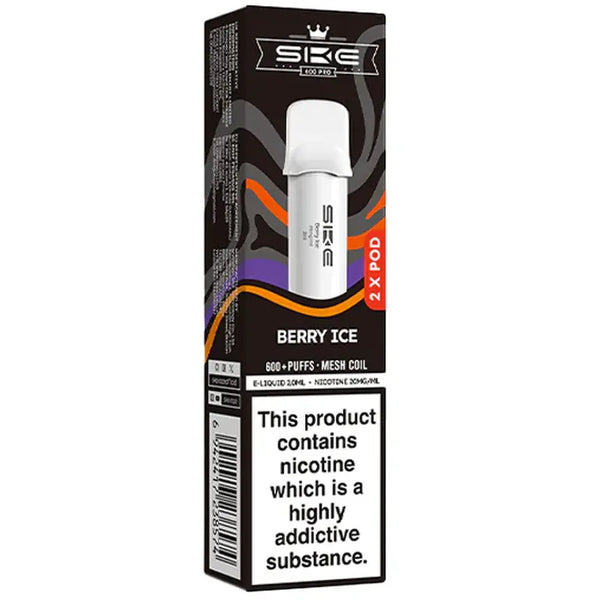
The SKE 600 Pro prefilled vape kit is available at Vaping 101, along with the full range of SKE 600 Pro replacement pods in 15 flavours. All SKE products are sourced directly from the brand. Browse the complete SKE Crystal collection for the full range.
SKE 600 Pro Replacement Pods
Quick Comparison
| Product / feature | What it is | Best for | Format | Device detail | Shop |
|---|---|---|---|---|---|
| SKE 600 Pro | Rechargeable prefilled vape kit | Simple 600-puff pod vaping | Device kit | 400mAh battery / USB-C charging | SKE 600 Pro |
| SKE 600 Pro Pods | Replacement prefilled pods | Replacing used pods | 2ml pod | Around 600 puffs per pod | Replacement pods |
| 2ml e-liquid format | Small prefilled pod capacity | Lower duty impact from October 2026 | 2ml | Around 40p extra per pod | E-liquid |
| SKE Crystal | Full SKE collection | Browsing SKE kits and pods | Kits and pods | SKE range | SKE Crystal |
Frequently Asked Questions
The SKE 600 Pro has a 400mAh built-in battery and charges via USB-C. A charging cable is not included in the box.
Connect a USB-C cable to the port at the base of the device and plug the other end into a mains adapter, laptop, or power bank. Use a standard 5V adapter and avoid high-wattage fast chargers.
From a flat battery, most users find the SKE 600 Pro reaches a full charge in around 30 to 45 minutes with a standard 5V USB adapter.
The LED indicator will illuminate while charging and will change colour or switch off entirely once the battery reaches full charge, depending on the firmware version.
The SKE 600 Pro prefilled vape kit is available at Vaping 101, along with the full range of SKE 600 Pro replacement pods and the complete SKE Crystal collection.